The pattern's content stays the same
A downloaded QR code is an image. Scanning it recovers the text encoded in it: an address, contact details or Wi-Fi settings. Qurl creates this kind of static QR code in your browser. It adds no Qurl tracking or redirection link.
What makes a link “dynamic”
A service can encode an intermediary address and later change its destination on its server. The printed QR code stays identical; the response from that address changes. You therefore need continued access to the service, its domain and its settings. Its terms may include a subscription or other limits.
A direct address you control also offers some flexibility: you can replace the page's content without changing its URL. That does not alter the data already encoded in the QR code.
Two images, two dependencies
These fictional examples each contain a different address. Their content is decoded during the site build. The intermediary example illustrates an architecture; it triggers no real redirect and does not represent a feature offered by Qurl.
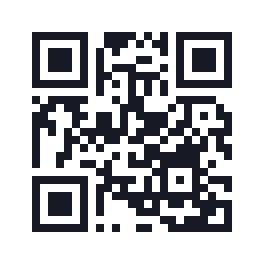
View this example's data
https://example.org/menu
25 modules · 19.8 mm with 0.6 mm modules and the quiet zone included.
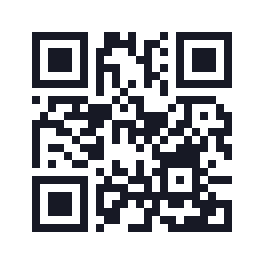
View this example's data
https://example.net/r/menu
25 modules · 19.8 mm with 0.6 mm modules and the quiet zone included.
Choose for your needs
- An address you manage that will remain stable: encode it directly.
- Contact details or text: they will be directly readable in the QR code.
- Need to change the destination after sharing? First plan an address or service whose continuity you can maintain.
Before printing, view the exact content in Qurl and check the domain. Qurl currently offers neither dynamic QR codes nor scan statistics. To prepare a campaign, read the guide to scans, opens and measured visits.