Prepare useful contact details
Choose “Contact” in the generator. Enter the name, then any useful fields: organisation, international phone number, email and website. Qurl encodes them as vCard 3.0 without creating an account or hosted profile.
Keep it concise. More data usually means a denser grid. Postal address, photo and custom fields are not offered in this form.
Check the encoded content
The example below contains the fictional contact Camille Exemple, the organisation “Atelier; test” and an example.org email address. The organisation's semicolon is escaped in the vCard to stay in the intended field. Qurl preserves the full name as entered without guessing how to split first and last names. Check sorting in your app after importing.
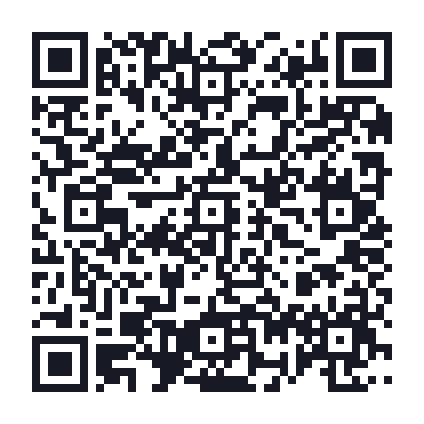
View this example's data
BEGIN:VCARD
VERSION:3.0
N:;;;;
FN:Camille Exemple
ORG:Atelier\; test
EMAIL:camille@example.org
END:VCARD
45 modules · 31.8 mm with 0.6 mm modules and the quiet zone included.
Check before saving
- Scan the QR code with your usual device.
- Examine the contact preview if an import prompt appears.
- Check the name, accents, organisation, phone, email and website.
- Check whether the person is already in your contacts to avoid a duplicate.
If the reader only displays text, the QR code is not necessarily invalid: the app may not offer to import this data. Try your device's built-in reader or a contacts app that accepts the format.
Distinguish reading from successful importing
Qurl checks that encoded content comes back from the QR code unchanged. Our test set includes a fictional vCard with an organisation and email. It does not certify every field in every app: no physical iOS/Android import matrix has been published.
A QR code already shared does not update address books. If your details change, prepare a new QR code. Anyone with the file can read the details it contains.