Choose the right file
- PNG: for everyday documents and images. Qurl adjusts the selected resolution to keep a whole number of pixels per module.
- SVG: for layouts that need sharp edges when enlarged.
- PDF: for an A4 page with the QR code at a precise physical size, stated in the file.
Under “Personalise”, PDF modules can measure 0.4, 0.6 or 0.8 mm. Longer content may increase the module count and therefore the total size.
You can add a PDF caption, such as “View the menu” or an alternative address. It is separated from the quiet zone, limited to 120 characters and four lines, and does not change the QR content. PNG and SVG remain caption-free. Check the preview before printing.
Understand the quiet zone and dimensions
The light quiet zone spans four modules on each side. It is part of the file: do not crop it or add text or decoration. The total width is calculated as: (number of modules + 8) × module size.
The fictional example below is generated with the same engine as the tool. Its dimensions are calculated from its matrix, not estimated from a screenshot.
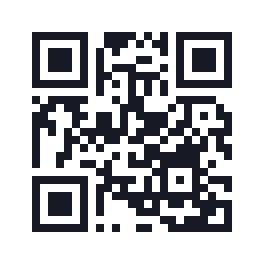
View this example's data
https://example.org/menu
25 modules · 19.8 mm with 0.6 mm modules and the quiet zone included.
Print at 100%, then test
- Select “Actual size” or 100% scaling in the print dialog.
- Turn off automatic fit-to-page scaling.
- Print one copy on the intended material.
- Try it with several phones at the usual distance and under normal lighting.
Reflections, curvature, blurry printing and low contrast can hinder scanning. If needed, enlarge the QR code or simplify its content. Also add a readable address for people who cannot scan.
What we checked
Qurl's tests download PNG, SVG and PDF files, then decode their rendered images. PDFs are converted to images with Poppler and their stated dimensions are checked. These are software checks: this test record does not claim completed paper tests or physical tests on multiple phones.