Is the QR code recognised?
Try the local image reader below the generator. If the content is readable, you should see a string starting with WIFI:. If no data is recognised, try a clearer image with the complete quiet zone.
The reader can also reveal the password contained in the QR code. Do not share the code or a screenshot with people you do not want to grant access to.
Compare the settings with the network
- Copy the network name (SSID) exactly, including spaces and capital letters.
- Check the password and similar-looking characters.
- Choose the security type matching the network: personal WPA/WPA2, WEP or an open network in this version of Qurl.
- Enable “Hidden network” only if the network really is hidden.
No password is encoded for an open network. Qurl escapes semicolons, commas, colons, backslashes and quotation marks; do not edit them manually in the generated string.
A checked fictional example
This QR code represents the fictional network Qurl-test and password fiction-123. Its content is compared with the expected value in tests. There is no demonstration network to connect to.
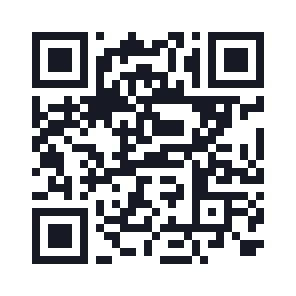
View this example's data
WIFI:S:Qurl-test;T:WPA;P:fiction-123;;
29 modules · 22.2 mm with 0.6 mm modules and the quiet zone included.
When the content is right but connection fails
Try connecting manually. Check network range, access point restrictions and the device's procedure. A captive portal may still require another step after connection. Enterprise networks with usernames, certificates or special configuration are not supported by the current form.
Qurl's tests check data encoding and decoding, including reserved characters. They are not a real connection matrix covering iOS, Android and every Wi-Fi access point.