Start with the exact content
Keep a copy of the material you distributed. Open a clear image of its QR code in the local reader and note the decoded text. The reader does not open the link, so you can check its domain first.
Work from this content, not just the filename or the page displayed after several redirects. Also note who manages the address and where the QR code was distributed. Do not share this note publicly if it contains a private link or Wi-Fi access details.
Identify what you can change
Three situations, three possible corrections
- Directly encoded text, contact or Wi-Fi
- What stays fixedThe message, contact details or access details in the QR code.ActionCreate a new QR code and replace the affected materials.
- A web address you control
- What stays fixedThe address read when scanning.ActionUpdate the page or document at that address, or keep a redirect from it if your hosting allows it.
- An existing intermediary link
- What stays fixedThe redirection service's address.ActionChange its destination within that service, if your account and its terms allow it.
Generating a new image with the same filename does not replace copies already printed. Qurl has no access to destinations and offers no remote editing service.
Practical example: replace a PDF menu
Take the fictional address https://example.org/menu.pdf. If this is the exact encoded link and you manage the file, replace the document at that same address. Check that your host has not created a new link instead, such as menu-v2.pdf.
- Keep a copy of the previous version before replacing the file.
- Check permissions and open the original address without signing into your account.
- Look for a specific change in the document: a new dish, date or version. If the old version still appears, check browser and hosting caches.
- Scan the old printed QR code on another device and confirm that the correct document appears.
The QR code has not changed; the document available at its address has. If you are preparing new materials, the online PDF QR code page combines the form and access checks. For a menu, also provide an alternative that can be read without scanning.
Practical example: the destination has moved
If you control the old encoded address, your host may let you redirect it to the new one. The redirect must start from the address already in the QR code: creating one elsewhere does not fix your printed copies. Keep the domain and check that useful parameters lead to the expected result.
If the QR code already contains a provider's address, use that account's settings. Check its terms and continuity; a closed account or lost domain can make correction impossible. An existing static QR code does not become dynamic simply by importing its image into another tool.
These two fictional examples illustrate a direct link and an intermediary link. Their content was decoded during testing. They trigger no real redirect and do not represent a Qurl dynamic service.
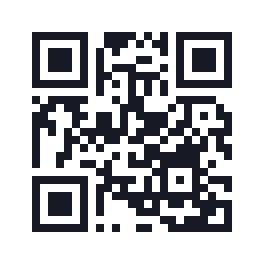
View this example's data
https://example.org/menu
25 modules · 19.8 mm with 0.6 mm modules and the quiet zone included.
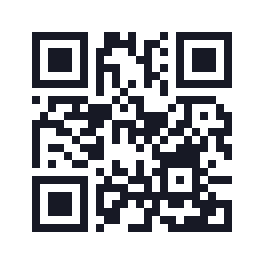
View this example's data
https://example.net/r/menu
25 modules · 19.8 mm with 0.6 mm modules and the quiet zone included.
Practical example: encoded data is wrong
A typo in a vCard, old number or encoded Wi-Fi password cannot be rewritten in a pattern already distributed. Generate the corrected QR code, check its exact content and replace the affected copies. For compromised Wi-Fi access, changing only the QR code does not change the network password.
A replacement sticker must fully cover the old QR code, lie flat and preserve the new code's light quiet zone. Test it on the real material: two visible codes side by side can make scanning ambiguous. For digital files, also replace attachments, templates and downloads that might recirculate the old version.
Validate the correction before sharing again
- Compare the expected content with the actual decoded content.
- For a link, open the destination from the final QR code with a reader's permissions, then check the document or proposed action.
- Test the material at actual size and under its intended conditions.
- List the copies to replace and keep a readable address or instruction alongside the scan option.
- Record the check date and the person responsible for the destination.
Successful software decoding proves neither future website availability nor readability on every phone. The printing guide helps prepare the final test; the guide to QR code lifespan explains the dependencies to monitor.